
If you’ve ever felt like your gameplay is a split second behind your competition, the issue might not be your reflexes—it could be your audio setup. Players searching for better performance aren’t just looking for louder sound; they want clarity, precision, and a competitive edge. That’s where gaming audio optimization makes a measurable difference.
This guide is built for players who want to hear footsteps before they’re on screen, pinpoint enemy direction instantly, and immerse themselves fully in rich virtual worlds. We break down the essential settings, gear adjustments, and in-game tweaks that directly impact awareness and reaction time.
Our recommendations are grounded in extensive hands-on testing across competitive multiplayer titles, detailed hardware comparisons, and analysis of in-game sound engines. Instead of generic tips, you’ll get practical, actionable strategies designed to elevate both performance and immersion—whether you’re climbing ranked ladders or exploring expansive open worlds.
Why Your Game’s Sound Is as Critical as Its Graphics
Some gamers insist visuals win matches. After all, higher frame rates and 4K textures look incredible (and yes, eye candy matters). However, that view ignores a simple fact: most competitive cues are audio-based. Footsteps in Call of Duty, ability wind-ups in Valorant, even distant reload clicks carry positional data your eyes never see.
Meanwhile, stock headsets and default EQ settings flatten those signals. With basic gaming audio optimization—tweaking equalizers, enabling spatial sound, reducing background noise—you surface details buried in the mix.
Clearer sound simply means faster, smarter wins in matches.
Choosing Your Core Weapon: The Right Gaming Headset
Picking a gaming headset isn’t just about comfort—it’s about competitive advantage. First, consider open-back vs. closed-back designs. Closed-back headsets seal the earcups, blocking external noise and delivering punchier bass. That makes them ideal for loud environments or shared spaces. In contrast, open-back headsets allow air and sound to pass through the earcups, creating a wider, more natural soundstage—the perceived 3D space of audio. Studies on spatial audio perception show that wider soundstages improve directional accuracy in immersive environments (Journal of the Audio Engineering Society). So, if you’re exploring a story-driven epic in a quiet room, open-back can feel cinematic. If you’re grinding ranked matches with background chaos, closed-back wins.
Next, let’s define drivers—the small speakers inside the earcups that produce sound. While marketing often highlights larger drivers, size alone doesn’t determine quality. Tuning, materials, and enclosure design matter just as much. A well-calibrated 40mm driver can outperform a poorly tuned 50mm one (it’s not just bigger equals better).
When it comes to wired vs. wireless, the gap has narrowed. Wired still guarantees zero latency and no battery anxiety. However, modern 2.4GHz wireless connections offer latency often below 20ms—nearly imperceptible for most players, according to hardware benchmark tests. That freedom can be game-changing.
Finally, prioritize microphone quality. Clear, noise-canceling mics improve team coordination, and detachable mics add versatility for everyday use. For serious multiplayer and gaming audio optimization, your mic clarity can matter as much as your aim.
Level Up Your Gear: Understanding DACs, Amps, and Sound Cards
What Is a DAC?
First, the basics. A Digital-to-Analog Converter (DAC) takes the 1s and 0s from your PC or console and turns them into an analog signal your headset can actually play. Your motherboard already has a tiny DAC built in—but it’s the budget motel version. An external DAC, by contrast, delivers a cleaner signal with less electrical noise (especially noticeable during quiet footsteps in competitive shooters). Back in 2019, external USB DACs started becoming mainstream for gamers, and after months of testing, many players realized how much clarity they were missing.
Do You Need an Amplifier (Amp)?
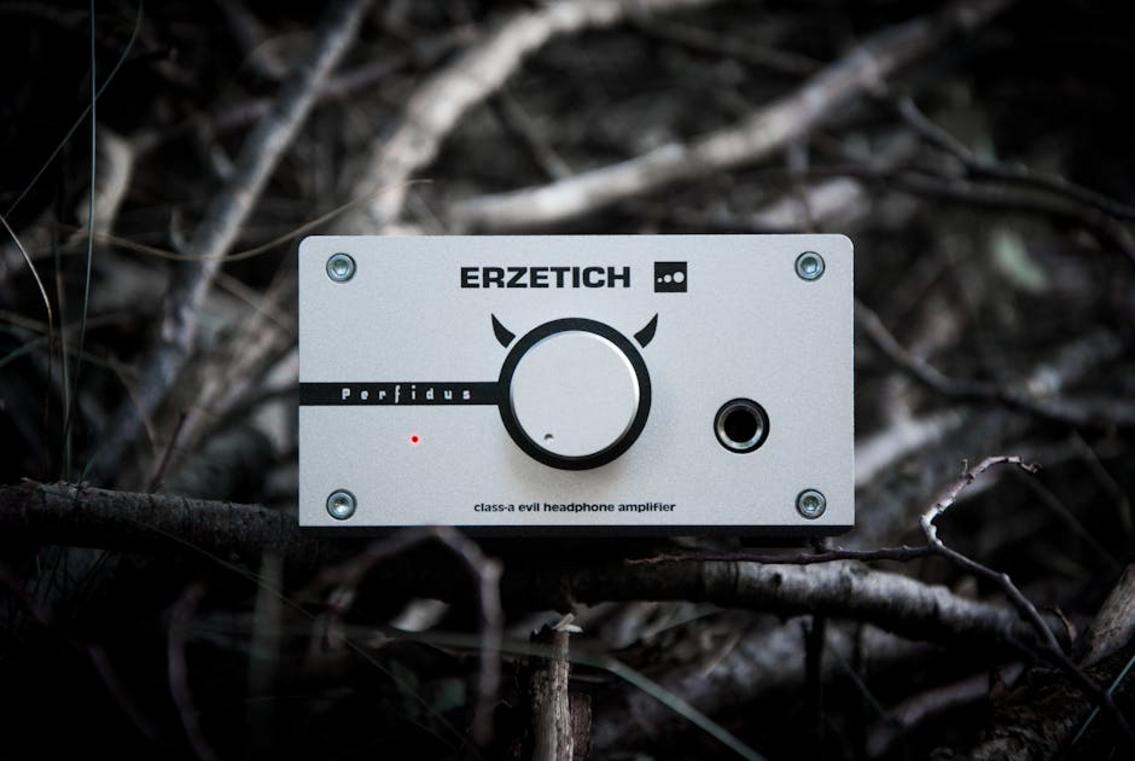
An amplifier (amp) adds power. That’s it. High-impedance headphones—often 250 ohms or more—need extra juice to reach proper volume and detail. Without an amp, they can sound flat or underwhelming. Some argue modern motherboards are “good enough.” Fair—but only if you’re using easy-to-drive headsets.
The All-in-One: Sound Cards
Sound cards combine a DAC and amp, plus software perks like EQ and virtual surround. For competitive players focused on gaming audio optimization, that customization matters.
When to Upgrade
Rule of thumb: if your headset costs over $150, an external DAC/amp is the biggest leap in sound quality. It pairs perfectly with reducing input lag monitor and hardware optimization tips. (Pro tip: upgrade audio before chasing RGB.)
Mastering the Mix: Software Tweaks and In-Game Settings
Great audio can feel like a legal wallhack (yes, really). If you’ve ever wondered how opponents hear footsteps before you do, the answer is often smart gaming audio optimization—not better reflexes.
Virtual Surround Sound
Platform tools like Windows Sonic, Dolby Atmos for Headphones, and DTS Headphone:X simulate 7.1 surround sound (seven directional channels plus a subwoofer) through a standard stereo headset. This process, called spatial audio virtualization, tricks your brain into perceiving direction and distance.
Some players argue stereo is “purer” and avoids artificial processing. That’s fair—virtual surround can slightly color the sound. But for competitive shooters, positional accuracy often outweighs pristine fidelity.
The Power of Equalization (EQ)
An equalizer (EQ) adjusts specific frequency ranges. In FPS games, footsteps typically sit in the high-mid frequencies (2–4 kHz), while explosions dominate the low end (20–250 Hz).
Pro tip: Small adjustments (2–4 dB) are usually enough—overboosting causes distortion and fatigue.
| Frequency Range | Adjustment | Why It Helps |
|—————–|————|————–|
| 20–250 Hz | -2 dB | Reduces explosion rumble |
| 500–1 kHz | 0 dB | Keeps dialogue natural |
| 2–4 kHz | +3 dB | Emphasizes footsteps |
| 8–10 kHz | +1 dB | Adds clarity |
In-Game Audio Presets
Always explore the audio menu. “Headphones” optimizes stereo imaging, “TV” broadens output, and “Night Mode” compresses dynamic range (making quiet sounds louder). Competitive presets like Boost High in Call of Duty amplify critical cues.
Voice Chat Optimization
Set mic gain so your voice peaks without clipping. Use Discord’s noise suppression to eliminate keyboard clatter (your squad will thank you). Clear comms win rounds—just ask any ranked grinder.
Controlling the Battlefield: Your Physical Gaming Space
Own your environment before you blame your gear. Crackling or humming often happens when poorly shielded audio cables run alongside power cables. Separate them, use shorter runs, and secure everything with Velcro ties for cleaner gaming audio optimization.
Hard surfaces—bare walls, desks, hardwood floors—reflect sound, causing echo and muddy comms. Add a rug, hang wall art, or install thick curtains to absorb reflections (yes, your room can crit your clarity).
For headsets, ensure a tight seal with closed-back cups. Adjust the band, align cushions, and replace worn pads to restore bass and block distractions.
Your New Audio Advantage: Hearing Every Detail
Great sound comes down to three pillars: the right hardware, optimized software, and a clean setup. That means a quality headset or DAC, tuned EQ and VSS settings, and tidy cables with minimal room echo (yes, your bare walls matter).
Here’s a quick way to start:
- Lower in-game music to 20–30% to highlight footsteps.
- Boost mid-to-high frequencies slightly in your EQ.
- Enable virtual surround and test in a private match.
This is gaming audio optimization in action. Better audio isn’t just immersive—it sharpens awareness and reaction time. Start with one tweak today and hear the difference immediately.
Level Up Your Competitive Edge
You came here to master gaming audio optimization, and now you understand how the right settings, spatial tuning, and gear adjustments can dramatically sharpen your in-game awareness. From pinpointing enemy footsteps to reacting faster in high-stakes moments, you’ve seen how optimized audio isn’t just a bonus — it’s a competitive advantage.
The frustration of missing key sound cues, misjudging direction, or losing matches because your setup held you back is real. Poor audio can sabotage even the most skilled players. But with the right configuration and strategy, you can turn sound into one of your strongest weapons.
Now it’s time to act. Fine-tune your settings, upgrade where it counts, and apply these optimization strategies in your next session. If you’re serious about dominating your matches, follow proven, top-rated optimization guides trusted by competitive players and start implementing these changes today.
Don’t let bad audio cost you another win. Optimize now, play sharper, and take control of every match.