Ever had your game freeze up just as you’re about to land that perfect shot? Yeah, me too. It’s infuriating.
An underperforming PC isn’t just a minor inconvenience; it kills the vibe and leaves you at a competitive loss. But trust me, I’ve been around the block with gaming rigs. I’ve tweaked and tested more systems than I can count, squeezing every frame of performance possible.
You’re here for gaming PC optimization, and that’s exactly what you’ll get. We’ll walk through everything from free software tweaks to impactful hardware upgrades, ensuring your gaming experience is as smooth as it should be.
Boost Your Gaming Performance: Start Today
When it comes to gaming PC optimization, don’t overlook the power of free tweaks. Most impactful changes start with software. Let’s talk about updating your graphics drivers.
This isn’t just a mundane task. It’s like installing a performance patch for the heart of your gaming rig. Whether you’re on NVIDIA or AMD, keeping those drivers fresh can be a game-changer.
Seriously, if you’re asking yourself why your graphics aren’t crisp, this is where you start.
Now, let’s move to Windows itself. Optimizing Windows for gaming is like clearing the runway. First, let Game Mode.
Microsoft threw us a bone with this one. It prioritizes your game over everything else running. Next, adjust your power plan to “High Performance.” You’re not here to save energy; you’re here to game.
Finally, use Task Manager to disable unnecessary startup programs. You don’t need Spotify slowing you down when you’re trying to hit those top frames.
Finding that “sweet spot” in your in-game settings? That’s key. Start with shadows, anti-aliasing, and textures.
Shadows eat up resources like a kid in a candy store. Anti-aliasing is fantastic, but at what cost? Textures, well, they need to be balanced too.
It takes some tweaking. But finding what works for your specific hardware is worth it. Want more tips?
Check out how choosing right headset gaming can boost your experience even further.
With these steps, you’re clearing your path to a smoother, more responsive game. Who doesn’t want that?
Level 2: Master Your Visuals and System Health
When it comes to gaming PC optimization, raw FPS isn’t everything. You want the whole package: visuals, system health, and smooth gameplay. Let’s start with your monitor.
If your high-end PC is hooked up to a 60Hz display, you’re basically wasting it. Go for a high refresh rate monitor (120Hz) or more. Let features like G-Sync or FreeSync for smoother visuals.
It’s not just about numbers; it’s about experience.
Now, let’s talk system cooling. Ever heard of thermal throttling? It’s when your PC decides to slow down because it’s too hot.
Trust me, you don’t want that. Dust filters need cleaning, and case fans should be set up for proper airflow. Use free software to monitor temperatures.
Keep your system cool, and it runs like a dream.
Storage is another area where you can boost performance. An SSD (Solid State Drive) makes load times blazingly fast compared to an old HDD (Hard Disk Drive). If you’re still on an HDD, it’s time to upgrade.
Use Windows tools to keep your drives in top shape. TRIM for SSDs, defrag for HDDs (simple) steps, big impact.
For those looking to take it a step further, check out pc optimization services from $99. It’s worth every penny if you want that extra edge. So, what’s stopping you?
Get your setup right and game on!
Level 3: Turbocharge Your Gaming Rig
So you’re ready to dive into the world of gaming PC optimization? Let’s get straight to it. When spending your hard-earned cash on upgrades, you want the biggest bang for your buck.
But what’s the smartest way to spend? Here’s the typical hierarchy: first up, a Graphics Card (GPU), then your Processor (CPU), and finally, RAM.
Starting with the GPU, think of it as the engine driving your gaming machine. It’s all about visuals here. If you’re upgrading, consider your target resolution (are you aiming for 1080p, 1440p, or 4K?) and match it to your monitor’s refresh rate.
This matters because you don’t want to buy a beast of a card that outpaces your monitor. If your screen can’t keep up with your GPU, you’ve basically thrown money out the window. Speaking of screens, if you’re aiming for the monitor settings best gaming experience, that should factor into your decision too.
Next up is the CPU. Think of it as the brainpower behind your games. It runs the logic and makes sure everything ticks smoothly.
A CPU bottleneck happens when your processor can’t keep up with your GPU’s demands. The result? Choppy gameplay and a lot of frustration.
What matters most here is single-core speed. Games love a fast core, so don’t get sidetracked by too many cores if they aren’t fast enough.
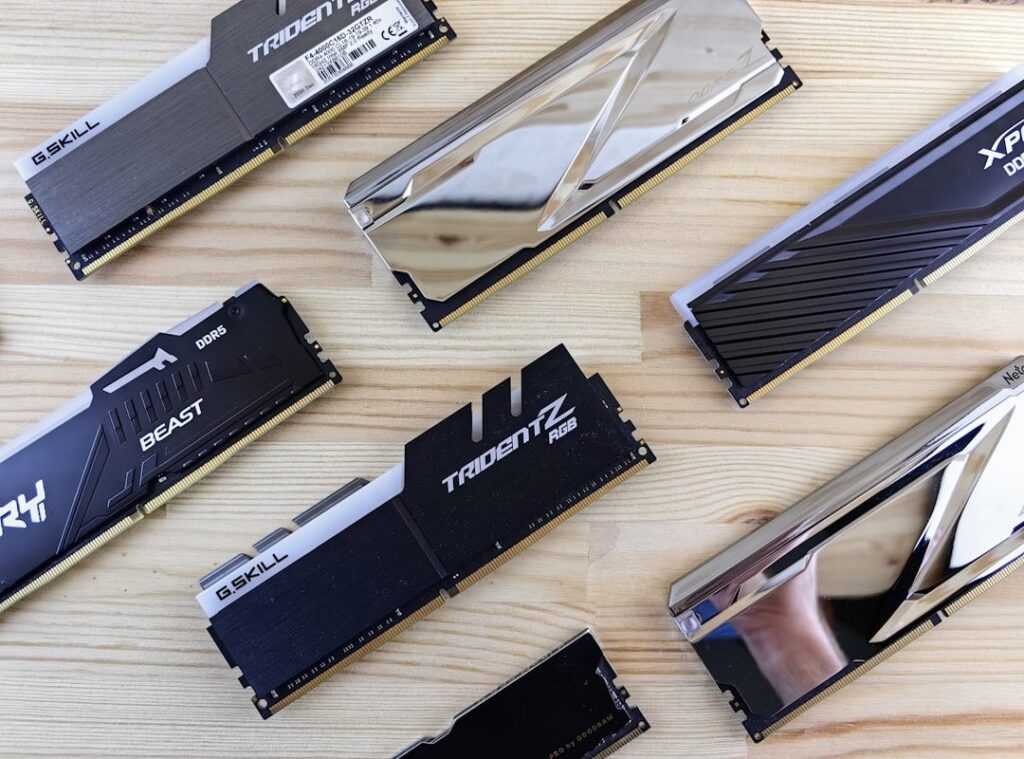
And then there’s RAM. Many people think more is better, but quality and speed often matter more than sheer volume. For a gaming rig, the sweet spot these days is 16GB or even 32GB.
But here’s a pro tip: make sure it’s fast, dual-channel RAM. “Dual-channel” means your system can access two sticks of RAM simultaneously, which speeds things up a lot.
In the end, these upgrades can transform your setup. But remember, gaming PC optimization is about balance. Don’t just throw parts together; make sure they complement each other.
This, my friend, is how you turbocharge your gaming rig for the maximum impact you crave.
Final Boss: Level Up Your Gaming Experience
Let’s talk about the unsung heroes of gaming: peripherals. Ever tried gaming with a sluggish mouse? It’s frustration incarnate.
A responsive mechanical keyboard and a precision gaming mouse can transform your gameplay. They’re not just tools; they’re extensions of your intentions. For gaming PC optimization, these are key.
You feel that split-second click response and suddenly, you’re in control. It’s like having a superpower.
Now, audio. You might be underestimating how much it matters. A quality gaming headset isn’t just about hearing the game; it’s about living it.
In multiplayer, hearing footsteps before you see your opponent gives you a real edge. Virtual surround sound? It’s like stepping into another dimension.
Single-player games become immersive storytelling experiences. You’re not just playing; you’re there.
And let’s not forget about connectivity. Wi-Fi is convenient, but when you’re gaming online, wired Ethernet is king. Why?
Lower latency. Fewer dropped connections. Nobody wants to lag out during a key match.
Ethernet keeps you steady, like a rock in the storm of digital chaos.
So, are you optimizing your setup? Or are you just playing a game?
Level Up Your Play Now
Your gaming experience is about to change. You’ve got a roadmap to unleash your PC’s potential. That nagging frustration?
Gone. No more being held back by sluggish performance. You’ve got the tools for gaming PC optimization right here.
Start with those free software tweaks and see an instant difference. Then, get ready to tackle those hardware upgrades. Don’t just sit there.
Fire up your PC. Apply the free boosts from Level 1 and feel the improvement. Ready for more?
Plan your next upgrade. The power’s in your hands. Take action.
Your upgraded gaming experience awaits.
 Gerald Drakeforderick is the kind of writer who genuinely cannot publish something without checking it twice. Maybe three times. They came to virtual world exploration and lore through years of hands-on work rather than theory, which means the things they writes about — Virtual World Exploration and Lore, Hot Topics in Gaming, True Multiplayer Meta Breakdowns, among other areas — are things they has actually tested, questioned, and revised opinions on more than once.
That shows in the work. Gerald's pieces tend to go a level deeper than most. Not in a way that becomes unreadable, but in a way that makes you realize you'd been missing something important. They has a habit of finding the detail that everybody else glosses over and making it the center of the story — which sounds simple, but takes a rare combination of curiosity and patience to pull off consistently. The writing never feels rushed. It feels like someone who sat with the subject long enough to actually understand it.
Outside of specific topics, what Gerald cares about most is whether the reader walks away with something useful. Not impressed. Not entertained. Useful. That's a harder bar to clear than it sounds, and they clears it more often than not — which is why readers tend to remember Gerald's articles long after they've forgotten the headline.
Gerald Drakeforderick is the kind of writer who genuinely cannot publish something without checking it twice. Maybe three times. They came to virtual world exploration and lore through years of hands-on work rather than theory, which means the things they writes about — Virtual World Exploration and Lore, Hot Topics in Gaming, True Multiplayer Meta Breakdowns, among other areas — are things they has actually tested, questioned, and revised opinions on more than once.
That shows in the work. Gerald's pieces tend to go a level deeper than most. Not in a way that becomes unreadable, but in a way that makes you realize you'd been missing something important. They has a habit of finding the detail that everybody else glosses over and making it the center of the story — which sounds simple, but takes a rare combination of curiosity and patience to pull off consistently. The writing never feels rushed. It feels like someone who sat with the subject long enough to actually understand it.
Outside of specific topics, what Gerald cares about most is whether the reader walks away with something useful. Not impressed. Not entertained. Useful. That's a harder bar to clear than it sounds, and they clears it more often than not — which is why readers tend to remember Gerald's articles long after they've forgotten the headline.